
Customer context, not scattered notes.
Maintain customer records, enquiry sources, vehicle preferences and sales ownership. Transfer enquiries when responsibility changes.
CUSTOMERS & CRMBUILT FOR THE DEALERSHIP FLOOR
From the first enquiry to the final handover. Bring your sales, stock and operations together in one connected workspace.
LESS BACK-AND-FORTH. MORE FORWARD.
Customer details shouldn't get lost between desks. Keep the enquiry, vehicle and next action connected as the sale moves forward.
Record customers, capture enquiry sources and assign the right sales officer.
Log follow-ups, plan the next contact and arrange a showroom or home test drive.
Prepare quotations, record booking payments and manage offers and approvals.
Allocate stock and coordinate the finance, insurance and delivery schedule.
Track deliveries, keep handover records and review showroom performance.
NOT JUST A FEATURE LIST. THE ACTUAL PRODUCT.
Take a closer look at the screens your team works with.
Real application. Fictional records. Practical, everyday workflows.
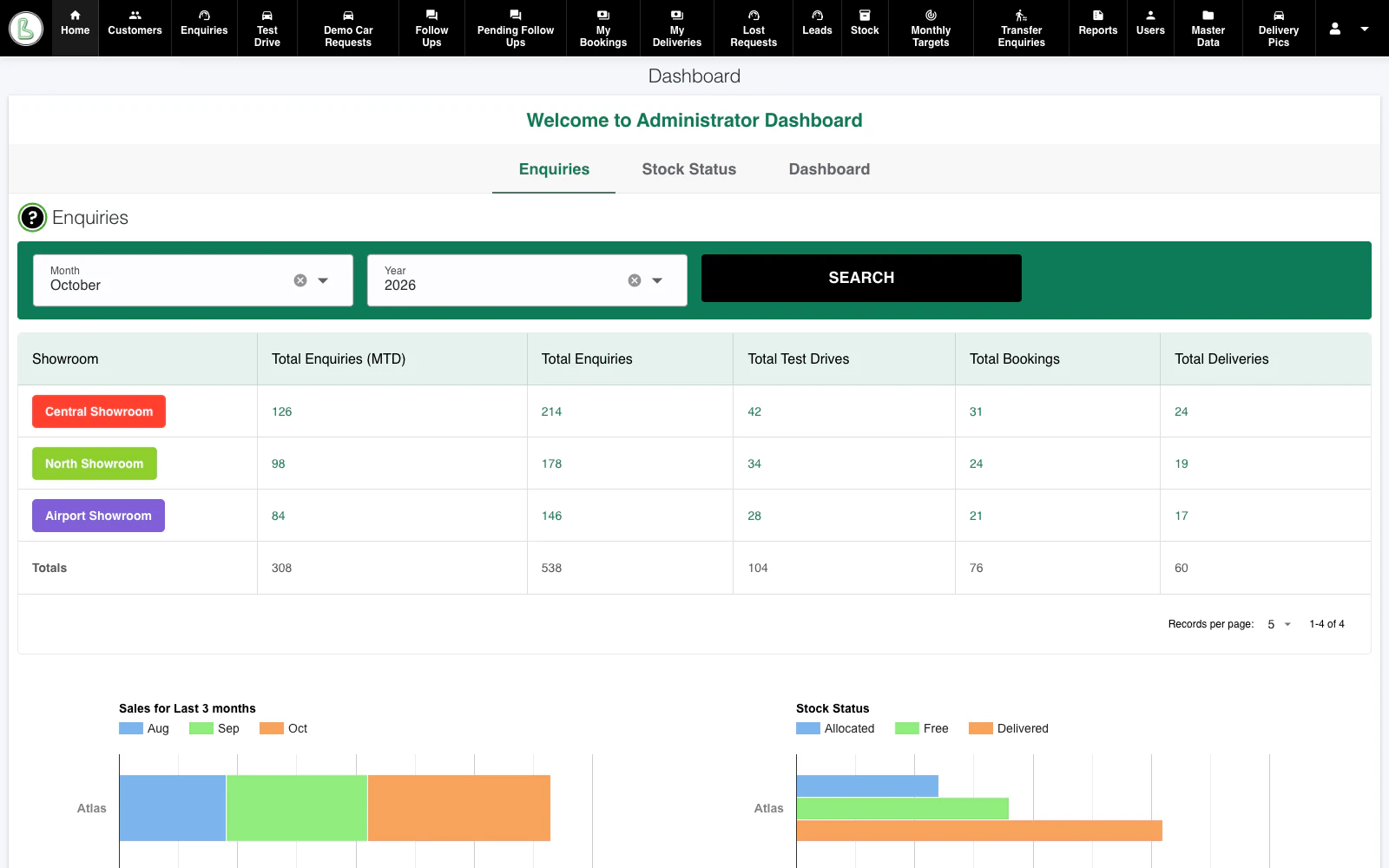
Compare showroom activity without piecing together separate updates. See enquiries, test drives, bookings and deliveries alongside sales and stock charts.
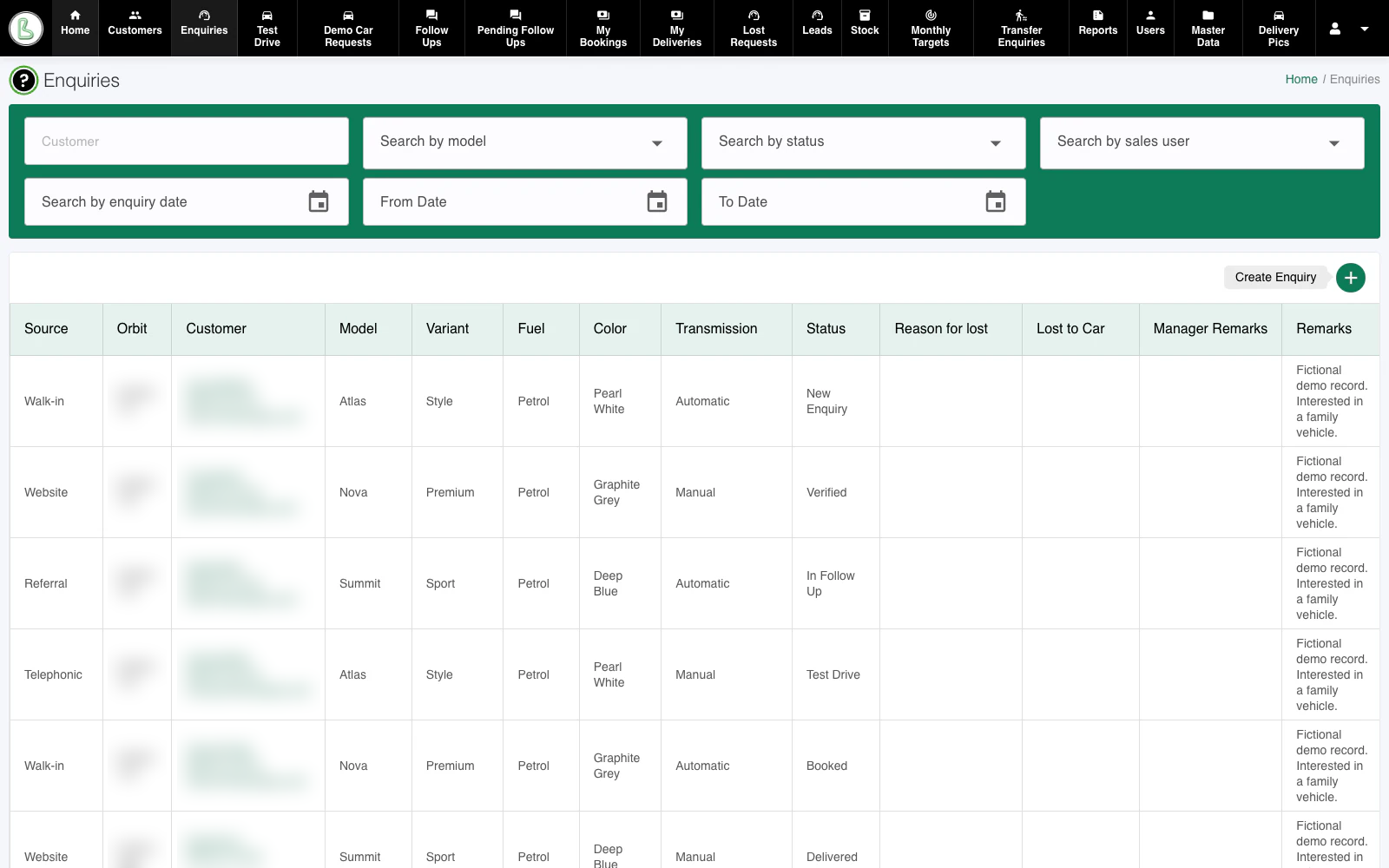
Keep the customer's preferred vehicle, source, status and next follow-up together. Filter by customer, model, salesperson or date to find the conversation that needs attention.
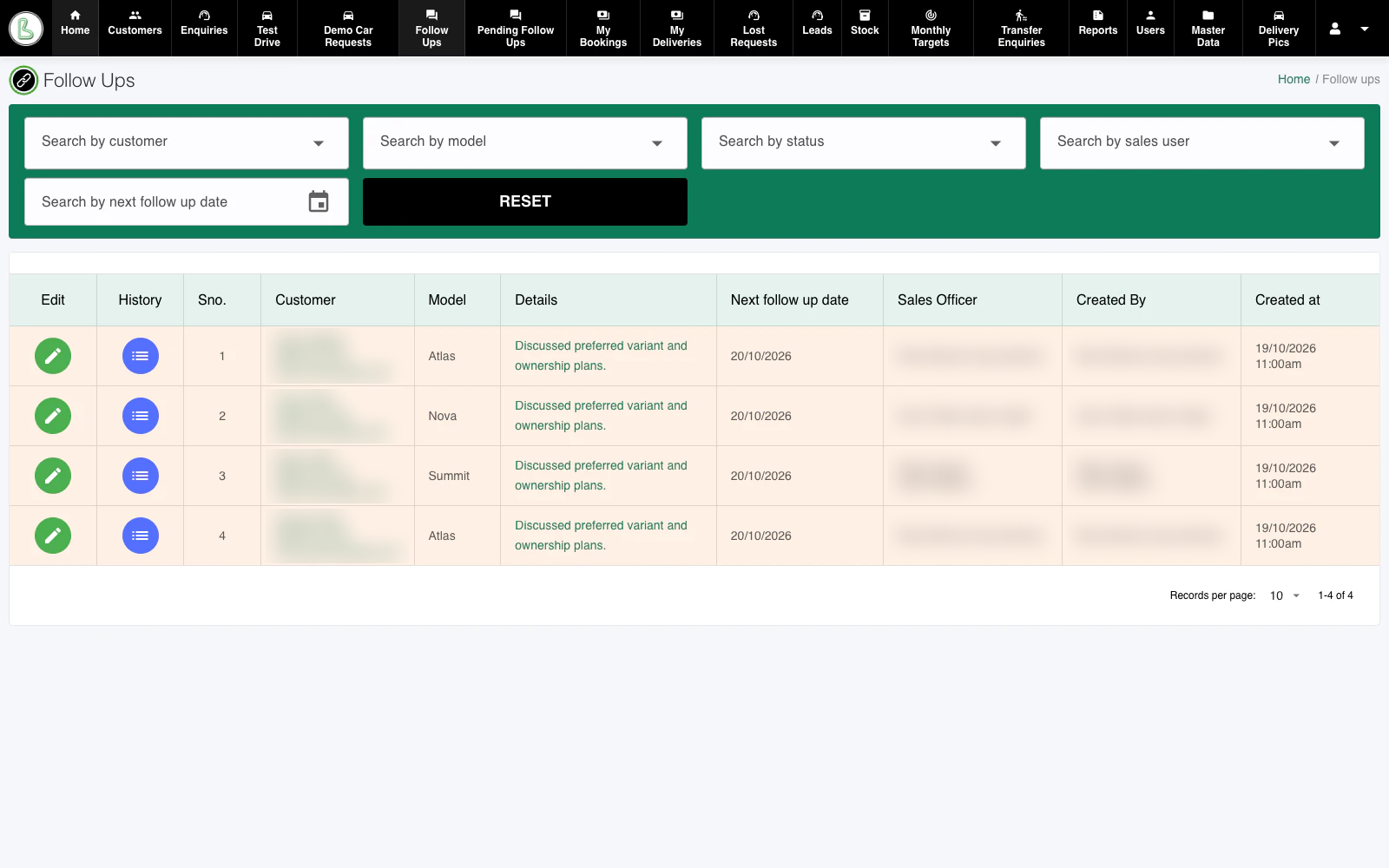
A useful follow-up starts with context. See the last discussion, the next contact date and the responsible sales officer, with history available against the enquiry.
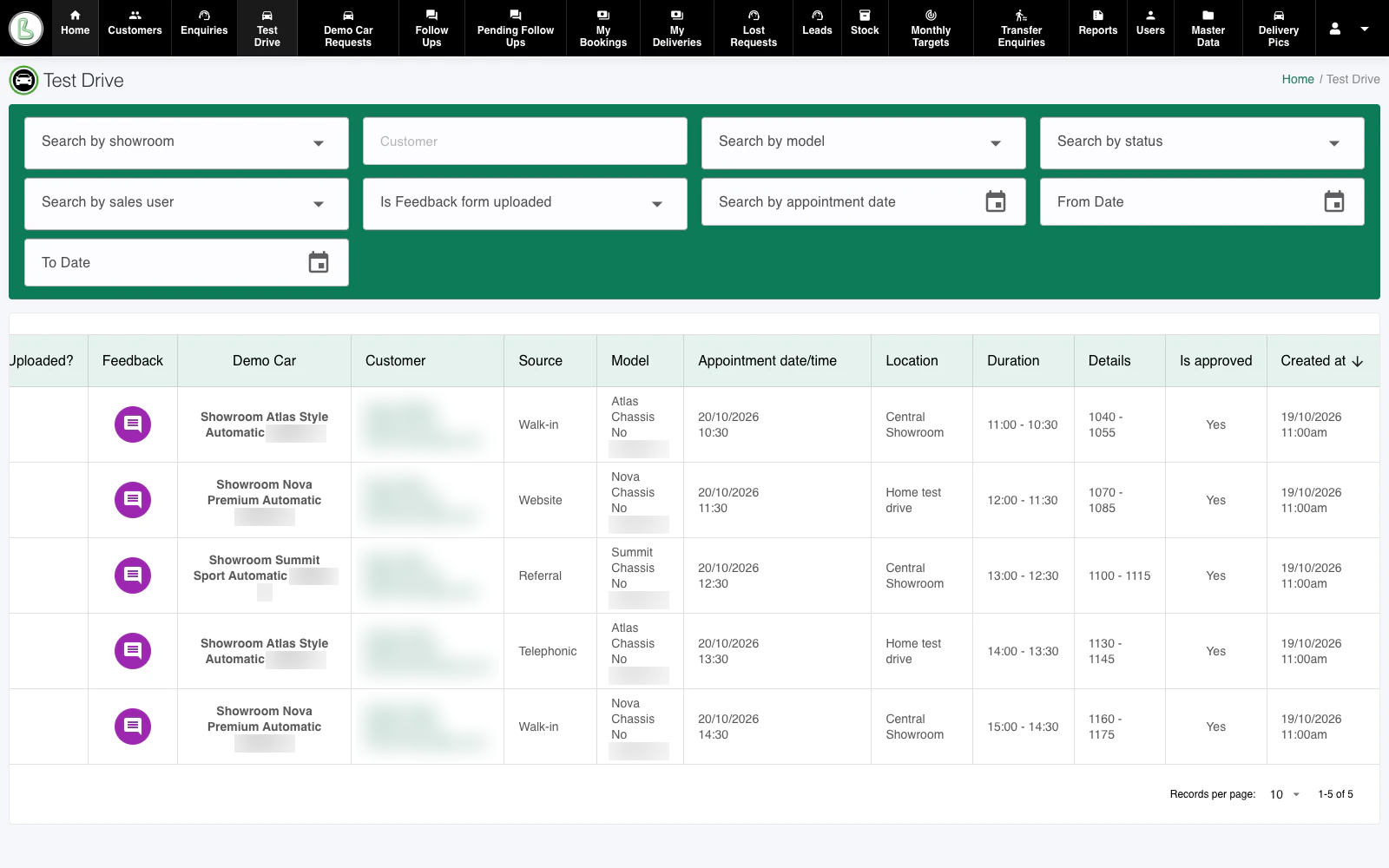
Connect appointments to the enquiry and demo vehicle. Coordinate showroom and home test drives, track timings and kilometre readings, and keep approvals and feedback within reach.
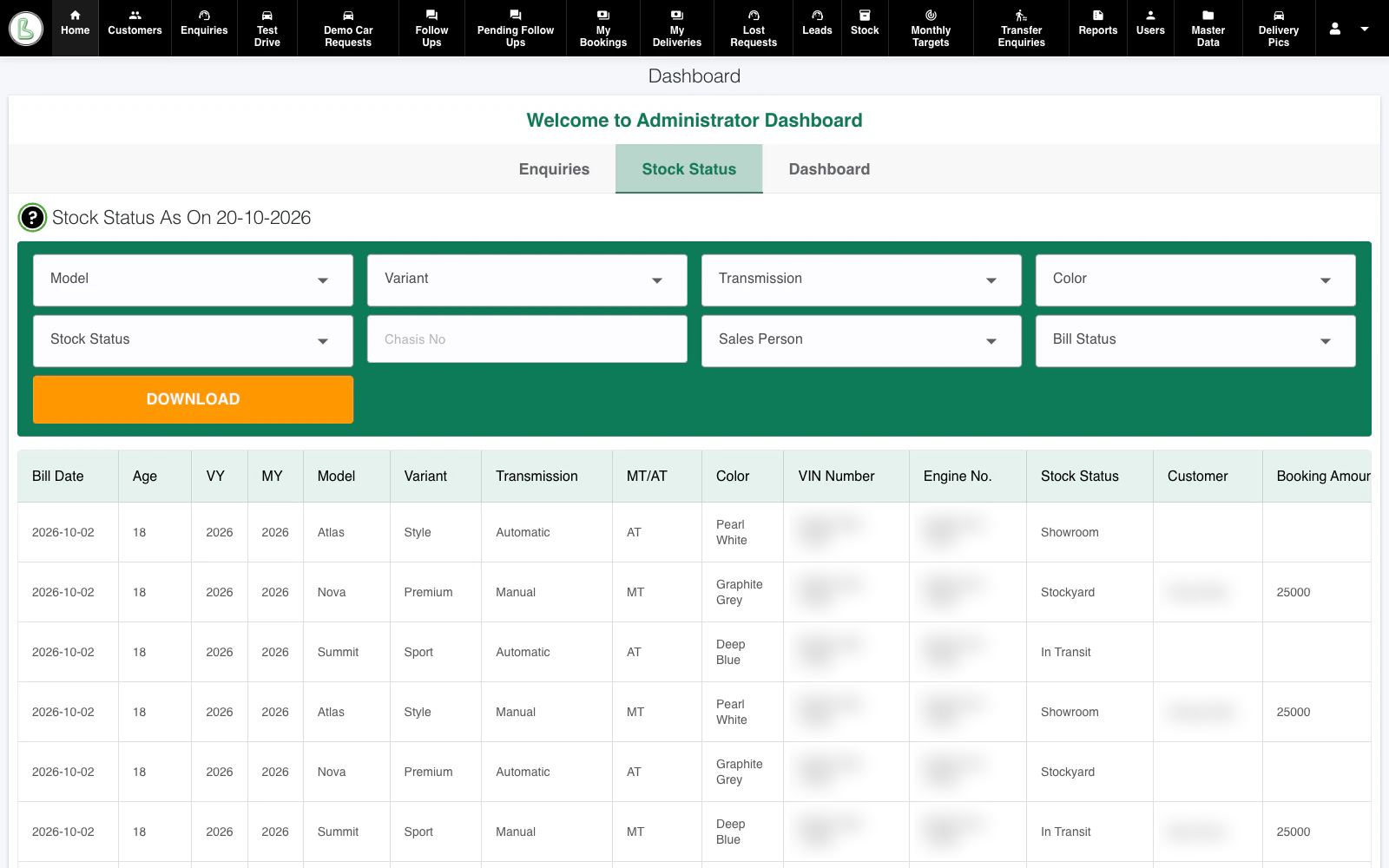
Look beyond a model-level stock count. View individual vehicles by variant, colour, VIN, location and allocation, with stock ageing visible to the relevant management roles.
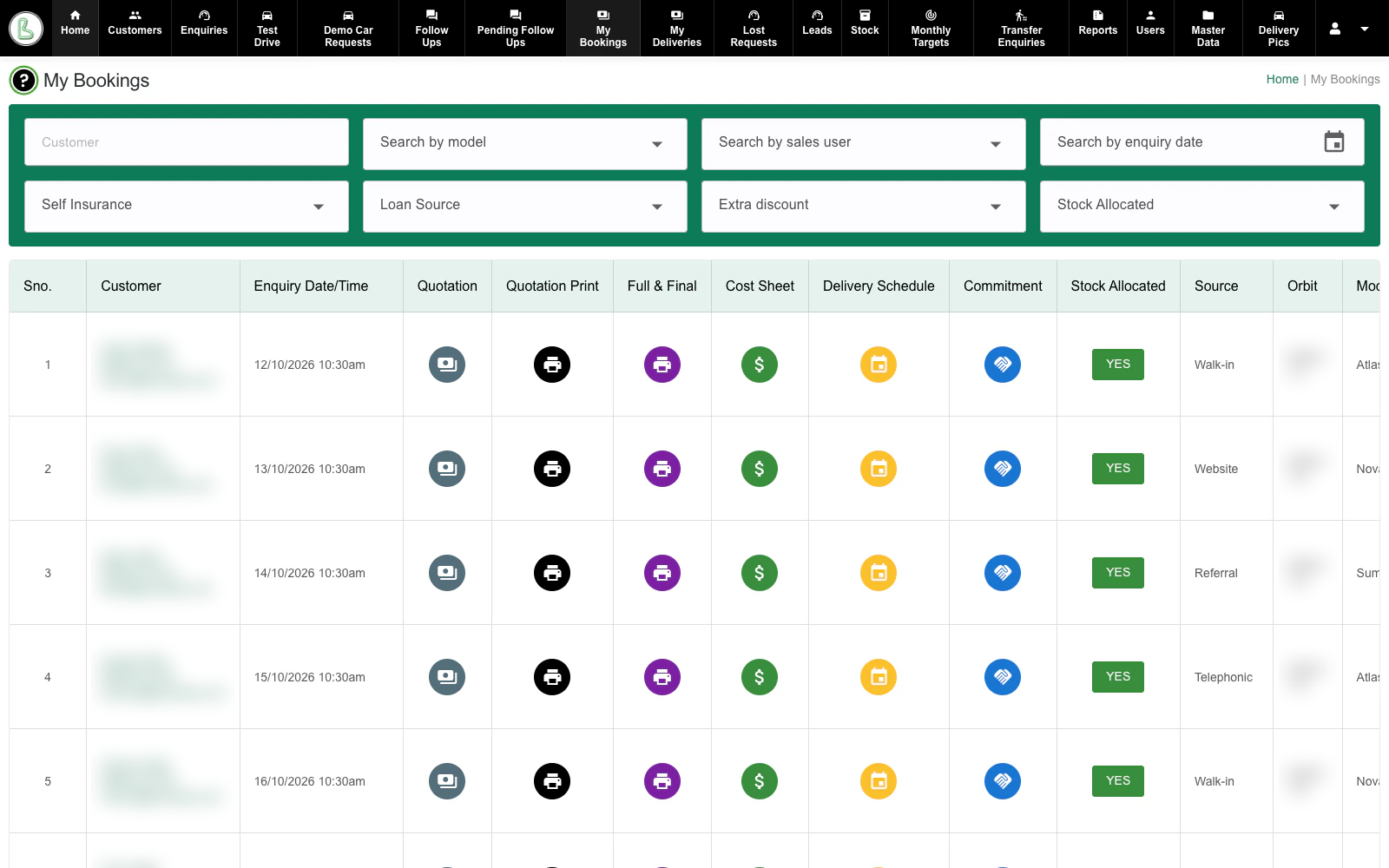
Move from a confirmed booking towards delivery with quotation, cost-sheet and scheduling actions against the same customer. Track stock allocation and coordinate the teams involved.
Actual application screens with fictional data. Identifying details are blurred in the images, including full-resolution previews. Available screens and actions depend on the user's role.
THE DETAILS MAKE THE DIFFERENCE.
The conversations, approvals and paperwork matter just as much as the booking. Give them a place in the process.
Maintain customer records, enquiry sources, vehicle preferences and sales ownership. Transfer enquiries when responsibility changes.
CUSTOMERS & CRMPrepare quotations and cost sheets with vehicle prices, add-ons and monthly offers. Record booking amounts, payment modes and transactions.
QUOTATIONS & PAYMENTSTrack loan proposals, lenders, documents and final finance details. Maintain insurance proposals, policy information and renewal records.
FINANCE & INSURANCESupport role-based reviews for extra discounts, cost sheets, self-arranged finance or insurance, and lost-enquiry requests.
REVIEWS & APPROVALSCoordinate delivery schedules, billing records, customer dockets and printable documents. Keep delivery status and delivery photographs on record.
DELIVERY & DOCUMENTATIONReview targets, sales performance, enquiry sources, test drives and deliveries. Use corporate, exchange and discount-analysis reports for a closer view.
TARGETS & REPORTINGDIFFERENT ROLES. ONE CONNECTED OPERATION.
Reception, sales, management and delivery support work from connected records, with screens and actions shaped around their responsibilities.
Showroom assignments, company-level views and assigned-team visibility support the way your organisation is structured.
Customer details, enquiries and test-drive coordination.
Follow-ups, booking progress and assigned-team activity.
Approvals, monthly targets and showroom performance.
Allocation, payments, documents and delivery preparation.
Access and visibility follow configured roles and assignments.
A LITTLE MORE CLARITY.
Want to see how your dealership's process fits?
Talk to our teamThe current system covers the sales and operations journey: customer enquiries, follow-ups, test drives, quotations, bookings, stock allocation, finance and insurance coordination, billing records, delivery and management reporting.
Yes. The application includes company and showroom records, showroom-based visibility, managers assigned to multiple showrooms, and comparative dashboard views. The information a user can see depends on their role and assignments.
Yes. There are dedicated roles for reception, customer relations, sales officers, team leaders, managers, administrators, stock receiving, billing, auto loans and insurance, among others. Screens, actions and record visibility vary by role.
Yes. Teams can record loan proposals and final finance details, track supporting documents and approvals, and maintain insurance proposals, policy details and renewals. Finance and insurance teams work with the same booking context, subject to their assigned access.
Yes. They show the current application running locally, populated with fictional customers, staff, vehicles and figures. No real customer data is used. Names, contact details and identifying record or vehicle numbers are blurred in the image files, including enlarged previews. Select any screenshot to view it at a larger size.
Contact Momentum Software to arrange a conversation about your showroom setup, team roles and sales process. We can walk through the relevant workflows and discuss fit, scope and deployment with you.
YOUR NEXT CHAPTER STARTS WITH A CONVERSATION.
Let's walk through your sales, stock and delivery workflow
and see what a connected operation could look like.